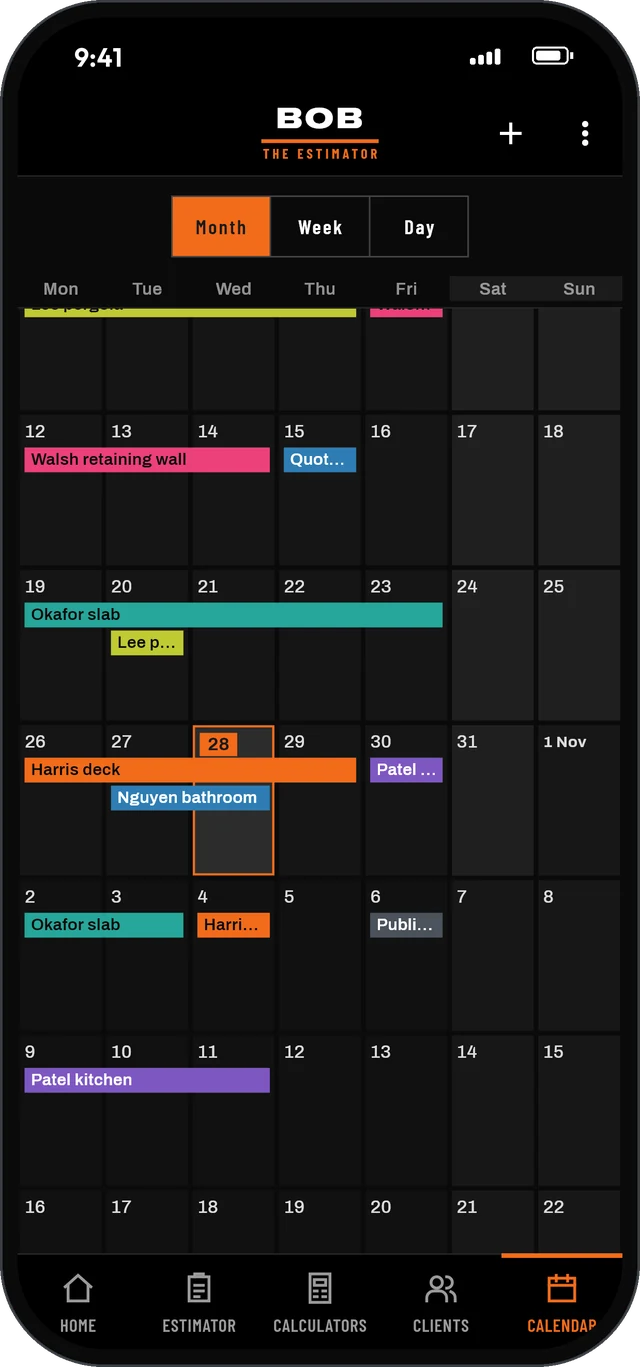
Each client has its own Job Calendar, joined to your main calendar — with the trades, deliveries and inspections, the crew booked, and the to-dos.
Job Calendar
- A calendar for each client: a month view with names on the days and client colours, and a timeline list.
- Calendar events: a trade, a delivery or an inspection — what, from and to (or one day), all day, who, and a note. Put an event on the main calendar too, or keep it on the job.
- Book workers: bookings made here go on the main calendar and the client's schedule, and main-calendar bookings show here.
- This week and coming up, with notes and who's on site.
Bookings
- A date or a date range, optionally including weekends and days off; all day (filled to your operating hours) or set times.
- Roster your workers — all at once or one by one — with an unpaid break that comes off both what you bill and what you pay.
- Double-booking warnings when a worker is already on another job.
- Hourly billing: bill the time at the client's hourly rate, your own rate, or each worker's charge-out rate. Booking a client with no estimate asks whether to bill it hourly, so the day isn't wages with nothing earned.
- A title (for example "Second fix") and notes.
- Small jobs: book a "no client" day as a small job, with the wages charged and materials, and it shows in Analytics.
- Hold and drag a booking on the main calendar to move it.
To-dos
- To-dos on each client and on the dashboard, grouped as overdue, today, coming up, whenever and done — with a date and a reminder if you want one.
- The dashboard warns you about each client with unfinished to-dos, and opens that client's list.
On every paid plan
Clients, Projects and the Calendar are on Lite, Essentials and Pro. Team access is on Essentials (up to 3 people) and Pro (up to 5 people).